
Introduction: The Repetition Problem
If you’ve been using OpenCode (or any AI coding assistant) for a while, you’ve probably encountered this frustrating scenario: every new conversation starts from scratch. You have to repeatedly tell the AI about your project structure, your coding preferences, that specific Linux configuration you’re using, or even basic facts like “I prefer TypeScript over JavaScript.”
It’s like Groundhog Day, but for coding. You spend the first few minutes of every session re-establishing context that should have been remembered from day one.
That’s exactly the problem I set out to solve when I discovered opencode-mem, a plugin that gives OpenCode persistent memory capabilities. After using it for a few weeks, I wanted to share my experience and explain why I think it’s a game-changer for AI-assisted development.
GitHub Repository: https://github.com/tickernelz/opencode-mem
Core Features: What Makes opencode-mem Special
1. Lightweight and Local-First
One of the first things that attracted me to opencode-mem is its local-first architecture. Unlike cloud-based memory solutions that send your data to external servers, opencode-mem stores everything locally using:
- SQLite for persistent storage
- USearch for fast vector indexing (with automatic fallback to exact scan)
- Zero external API dependencies for core functionality
This means your data never leaves your machine unless you explicitly configure it to. For someone who cares about privacy, this is huge.
2. Automatic User Profile Learning
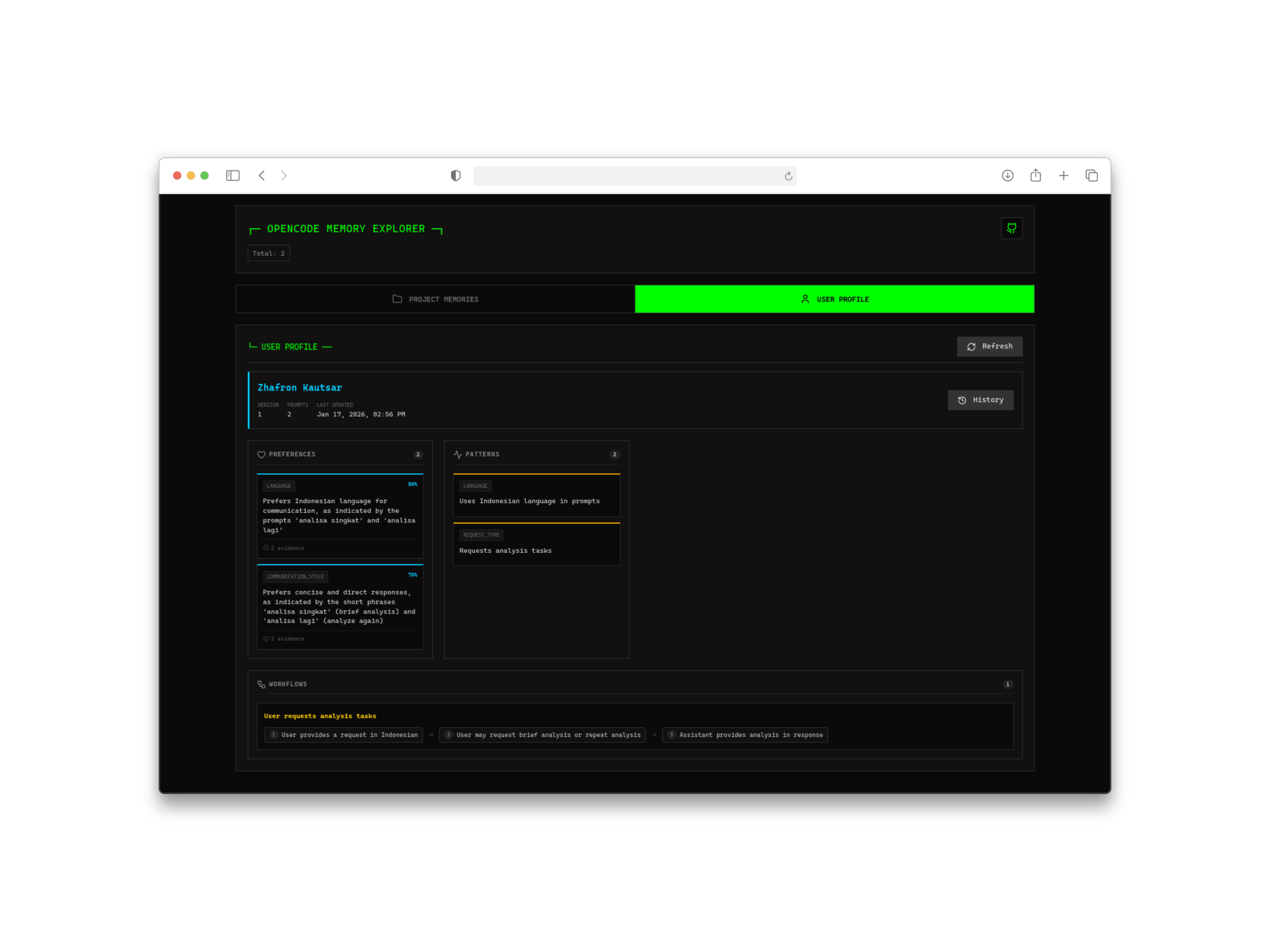
Here’s where it gets interesting. The plugin doesn’t just store raw conversations—it analyzes your interactions to build a user profile. Over time, it learns:
- Your coding style and preferences
- Technologies you frequently use
- Common patterns in your projects
- Personal conventions and shortcuts
The only time external AI is needed is during the initial profile generation, which uses ChatGPT or compatible models. After that, everything runs locally.
3. Web Management Interface
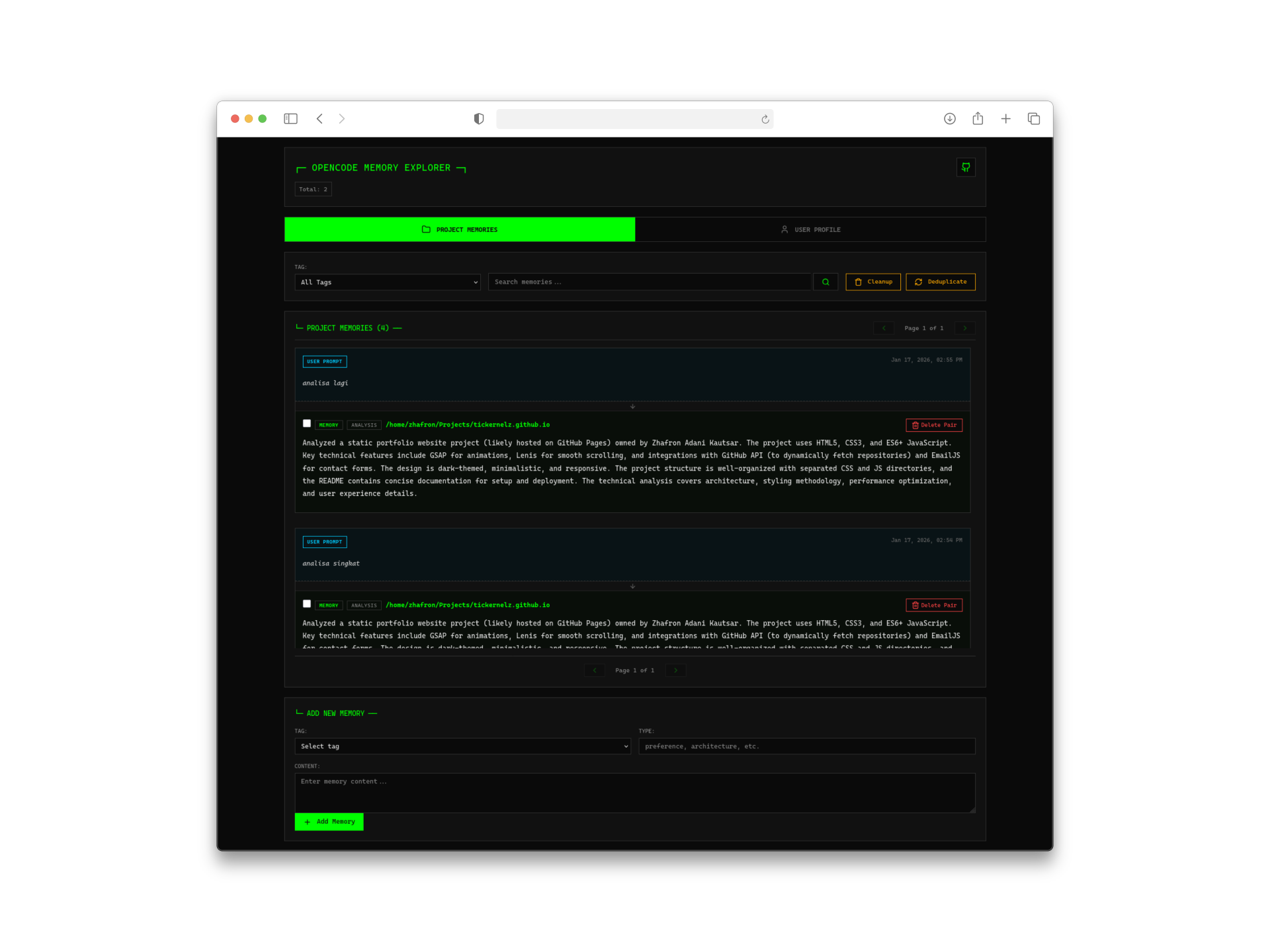
Sometimes you want to see what the AI actually remembers about you. The built-in web interface (accessible at http://127.0.0.1:4747) provides:
- Visual timeline of memories
- User profile viewer
- Memory search and management
- Project-specific memory browser
It’s surprisingly well-designed for a developer tool—clean, fast, and actually useful.
How It Works: The Technical Architecture
Understanding how opencode-mem works helped me appreciate its elegance:
Automatic Memory Extraction
The plugin uses AI to automatically extract key information from your conversations. When you mention something important like “This project uses microservices architecture,” it gets captured as a memory.
Smart Deduplication
Memories aren’t just dumped into a database. The system merges duplicate or similar memories to keep the storage clean and relevant. If you mention the same preference multiple times, it consolidates rather than duplicates.
Dual Storage Strategy
- SQLite: The source of truth for all persistent data
- USearch: In-memory vector index for lightning-fast similarity searches
If USearch fails or isn’t available, the system gracefully falls back to exact vector scanning—no crashes, no data loss.
Context Injection
When you start a new session, relevant memories are automatically injected into the AI’s context. This happens transparently—you just notice that the AI “remembers” things it shouldn’t know from this session alone.
Installation and Setup
Getting started is refreshingly simple:
|
|
|
|
That’s it. The plugin downloads automatically on the next startup.
Configuration Options
For customization, create ~/.config/opencode/opencode-mem.jsonc:
|
|
Memory Provider Setup
For the AI-powered memory extraction and profile generation, you’ll need to configure an LLM provider:
|
|
I use DeepSeek-V3.2 because it’s cost-effective for this use case—you don’t need a massive model for extracting memories from conversations.
Real-World Usage and Best Practices
Basic Memory Operations
The plugin provides a memory tool that the AI can use:
|
|
Best Practices I’ve Learned
- Start with auto-capture enabled: Let the system learn your patterns naturally before manual interventions
- Review your profile periodically: Check the web UI every few days to see what the AI has learned about you
- Be explicit about important preferences: While automatic extraction is good, explicitly stating “Remember that I prefer…” ensures capture
- Use memory types wisely: The system categorizes memories (preference, learned-pattern, project-config, etc.)—understanding these helps you search effectively
Integration with My Workflow
I’ve been using opencode-mem alongside my oh-my-opencode model configuration. The combination works beautifully—persistent memory plus optimized agent models creates a genuinely intelligent coding assistant.
If you’re also using OpenSpec (which I wrote about in my previous post), the memory persists across spec-driven development sessions too.
Comparison with Alternatives
Before settling on opencode-mem, I evaluated a few alternatives:
| Feature | opencode-mem | Cloud Solutions | Other Local Plugins |
|---|---|---|---|
| Privacy | Excellent | Poor | Good |
| Cost | Free (API only for extraction) | Subscription | Free |
| Web UI | Built-in | Varies | Rare |
| User Profile Learning | Yes | Sometimes | No |
| Setup Complexity | Low | Low | Medium |
| Local Embeddings | Yes | No | Sometimes |
The built-in web UI and automatic profile learning were the deciding factors for me.
Conclusion
After using opencode-mem for several weeks, I can’t imagine going back to a memory-less coding assistant. The time saved from not repeating myself, combined with the AI’s growing understanding of my preferences, has noticeably improved my development workflow.
The local-first approach means I don’t have to worry about sensitive code or preferences being sent to external servers. The web UI gives me visibility and control over what the AI knows about me. And the automatic learning means it just keeps getting better over time.
If you’re using OpenCode and haven’t tried opencode-mem yet, I highly recommend giving it a shot. The setup is minimal, the benefits are immediate, and the privacy implications are significant.
Have you tried adding memory to your AI coding workflow? I’d love to hear about your experience in the comments.