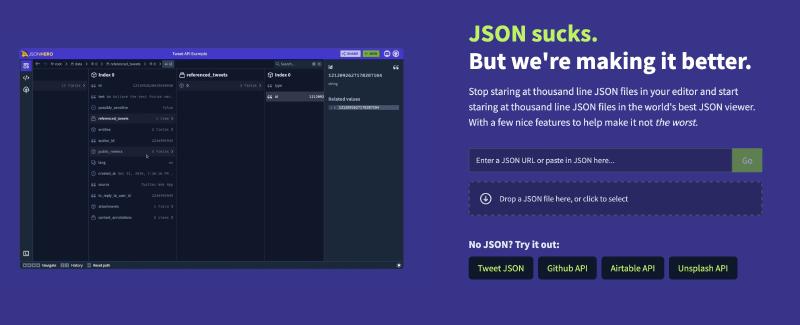
Developers deal with JSON data constantly, and having a solid tool to visualize it can really speed up your workflow. JsonHero is incredibly powerful and lets you look at your data in three different ways: Column view (the best one), Tree view, and Raw JSON.
If you’re working with sensitive data and need extra security, you can host it yourself—the official team provides instructions on how to set it up locally.
Official Site: https://jsonhero.io
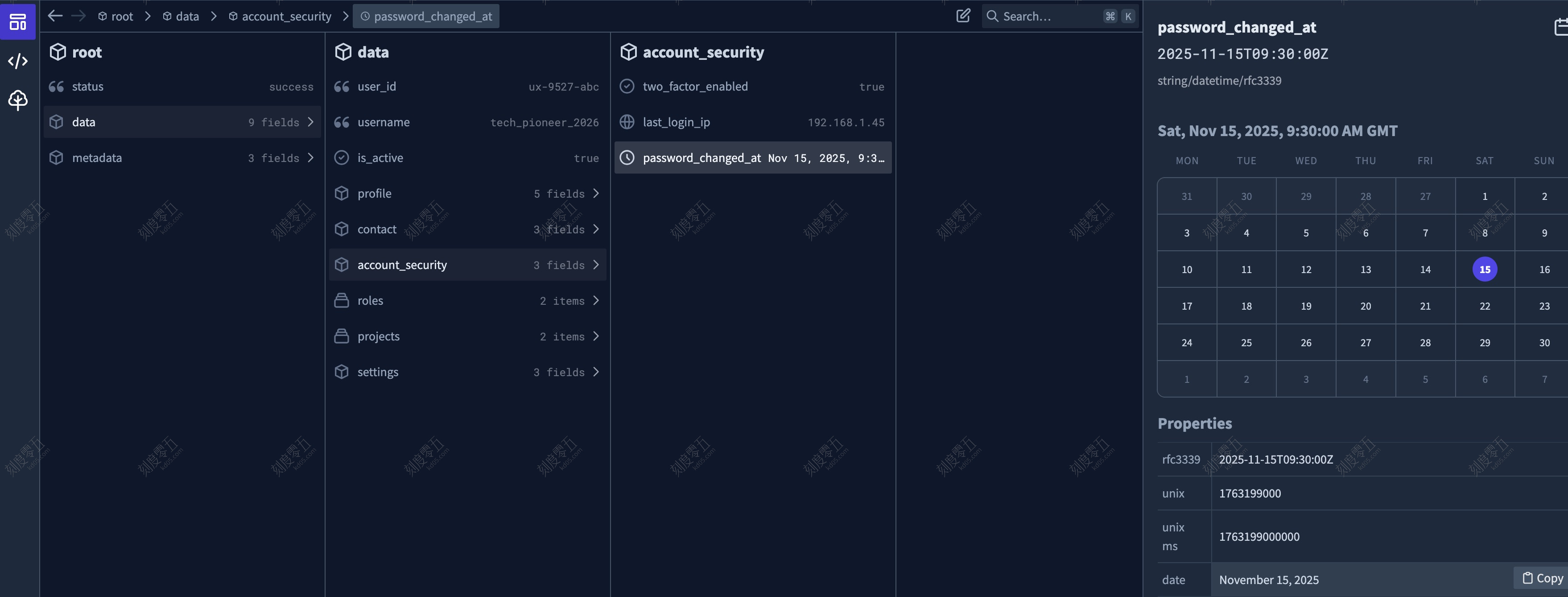
Smart Content Preview
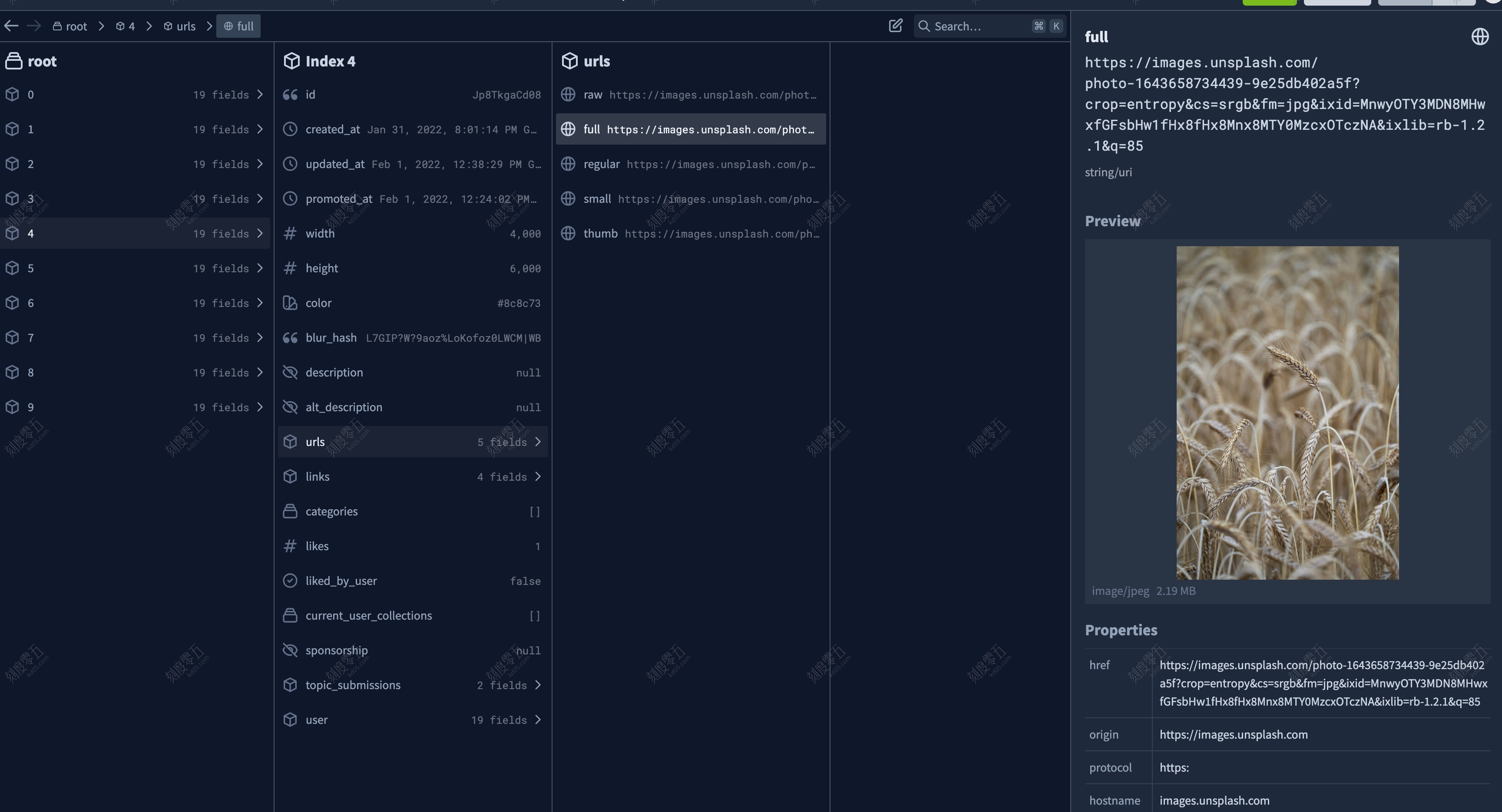
The tool can actually understand the content inside your JSON attributes—like images, dates, and colors—and display them properly.
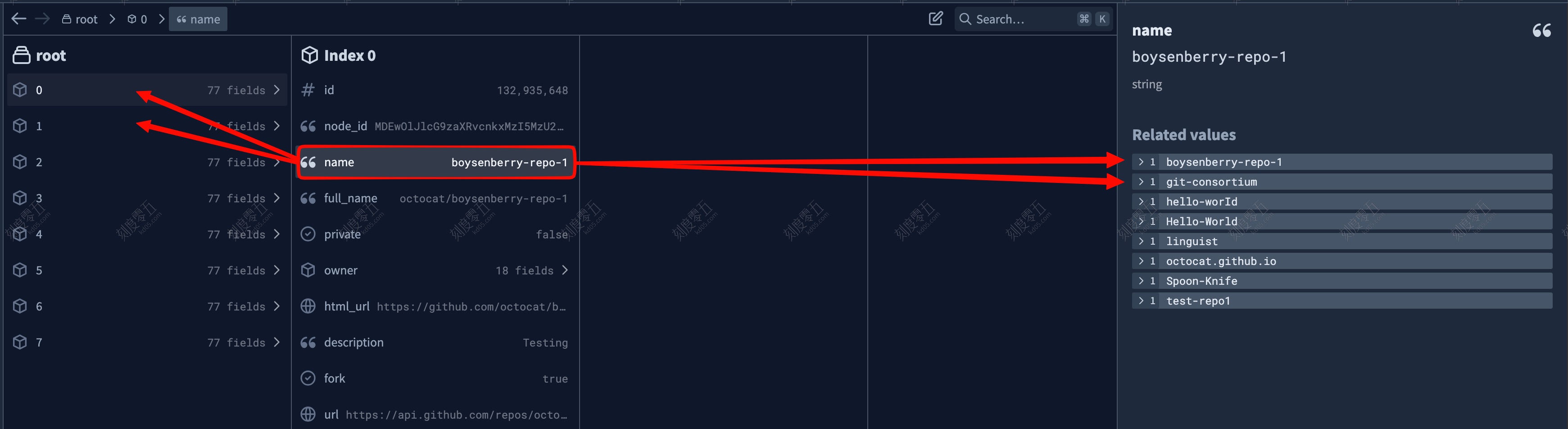
My personal favorite feature is being able to see specific fields across all items in an array at once to see how they relate.
Shareable Links for Every JSON
When you’re looking at a JSON file, it generates a specific URL. You can also click the “Share” button in the top right corner to copy a unique link to your data.

View JSON Directly via Base64
You can add a Base64-encoded string of your JSON right after https://jsonhero.io/new?j= (or your own URL if you’re self-hosting). For example: https://jsonhero.io/new?j=eyAiZm9vIjogImJhciIgfQ==. This is great if you want to integrate this viewer into your own internal dev tools.